如何搭建个人博客
前置:git,github账号
工具
1
| scoop install hugo-extended
|
创建github仓库
视频教程:https://www.youtube.com/watch?v=8qDdQQ6Ifxo
模板仓库:https://github.com/CaiJimmy/hugo-theme-stack-starter
使用:use this template -> Create a new repository

创建repo->my-blog,private
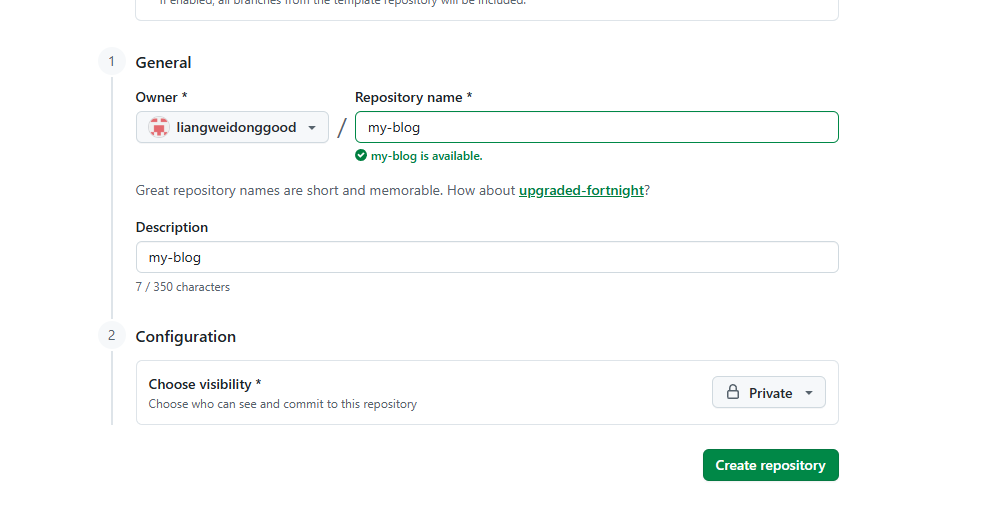
clone到本地
1
| git clone git@github.com:liangweidonggood/my-blog
|
使用vscode打开
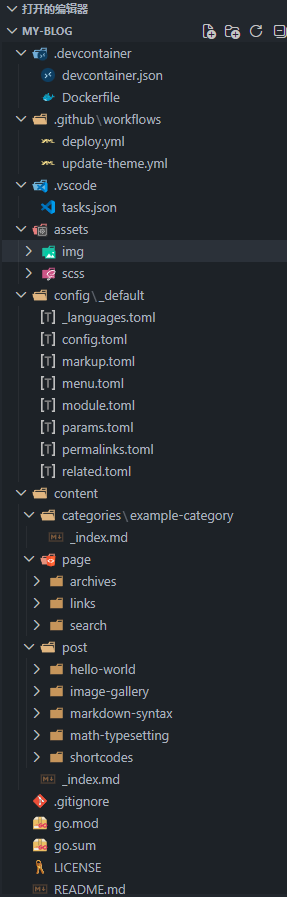
仓库配置
申请一个Personal access tokens (classic)
https://github.com/settings/apps
Personal access tokens -> Tokens(classic) - > Generate new token(classic)
权限:repo,workflow
blog: 你的token
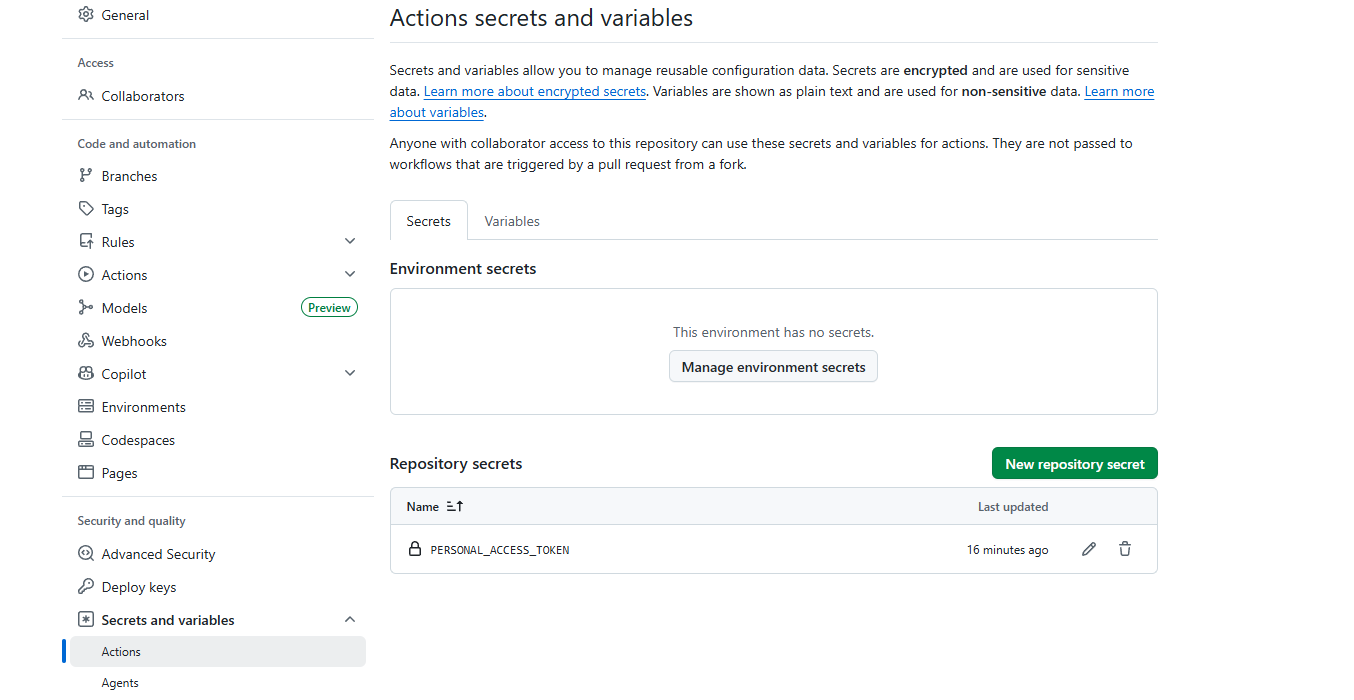
Secrets and variables -> Actions -> Repository secrets
key: PERSONAL_ACCESS_TOKEN,对应deploy.yml中 personal_token: ${{ secrets.PERSONAL_ACCESS_TOKEN }}
公共仓库:liangweidonggood.github.io
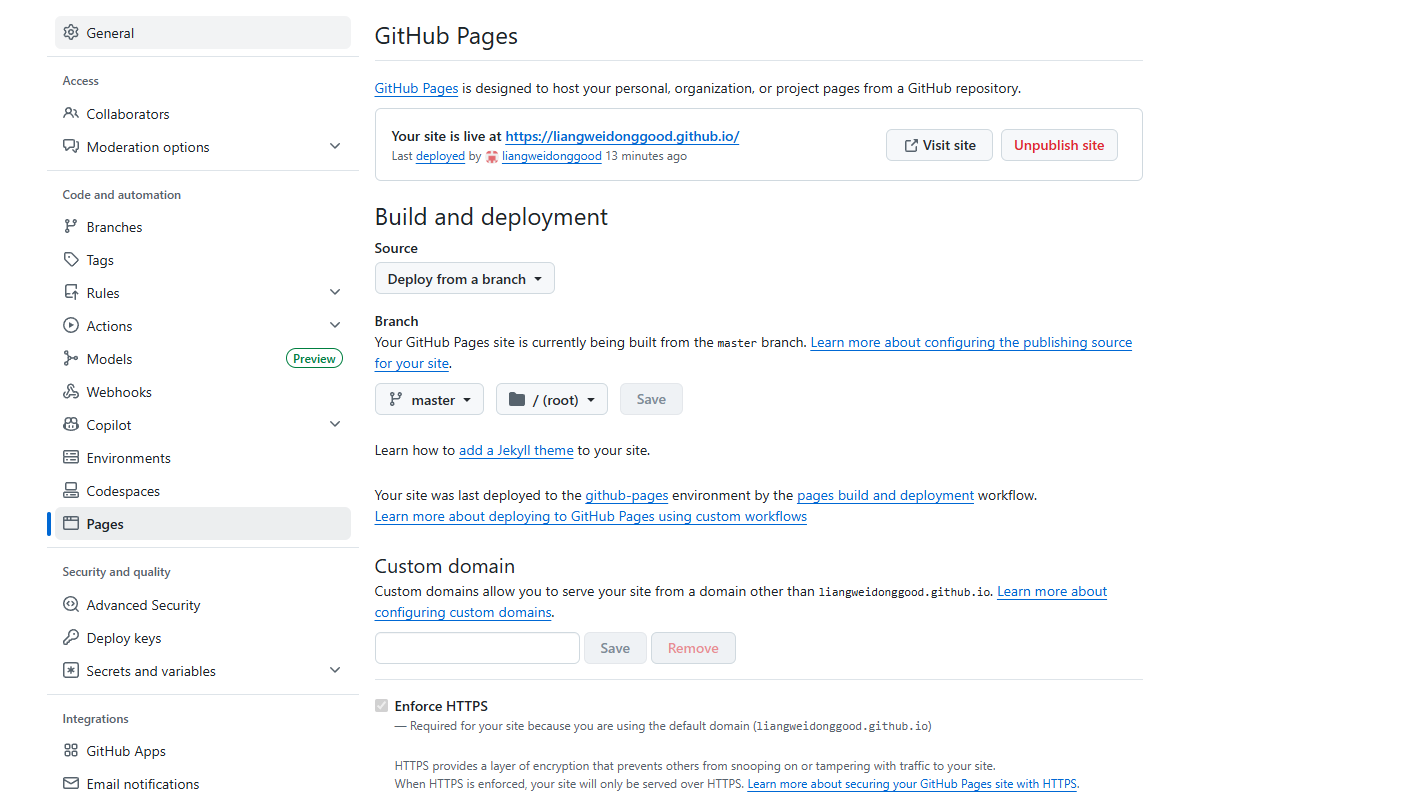
自动发布
配置.github/workflows
  1
  2
  3
  4
  5
  6
  7
  8
  9
 10
 11
 12
 13
 14
 15
 16
 17
 18
 19
 20
 21
 22
 23
 24
 25
 26
 27
 28
 29
 30
 31
 32
 33
 34
 35
 36
 37
 38
 39
 40
 41
 42
 43
 44
 45
 46
 47
 48
 49
 50
 51
 52
 53
 54
 55
 56
 57
 58
 59
 60
 61
 62
 63
 64
 65
 66
 67
 68
 69
 70
 71
 72
 73
 74
 75
 76
 77
 78
 79
 80
 81
 82
 83
 84
 85
 86
 87
 88
 89
 90
 91
 92
 93
 94
 95
 96
 97
 98
 99
100
101
102
103
104
105
106
107
108
109
110
111
112
113
114
| name: Build and deploy
on:
push:
branches:
- main
- master
workflow_dispatch:
permissions:
contents: write
# pages: write
# id-token: write
concurrency:
group: pages
cancel-in-progress: false
defaults:
run:
shell: bash
jobs:
build:
runs-on: ubuntu-latest
env:
DART_SASS_VERSION: 1.97.1
GO_VERSION: 1.26.4
HUGO_VERSION: 0.162.1
NODE_VERSION: 24.12.0
TZ: Europe/Oslo
steps:
- name: Checkout
uses: actions/checkout@v6
with:
submodules: recursive
fetch-depth: 0
- name: Setup Go
uses: actions/setup-go@v6
with:
go-version: ${{ env.GO_VERSION }}
cache: false
- name: Setup Node.js
uses: actions/setup-node@v6
with:
node-version: ${{ env.NODE_VERSION }}
#- name: Setup Pages
# id: pages
# uses: actions/configure-pages@v6
- name: Create directory for user-specific executable files
run: |
mkdir -p "${HOME}/.local"
- name: Install Dart Sass
run: |
curl -sLJO "https://github.com/sass/dart-sass/releases/download/${DART_SASS_VERSION}/dart-sass-${DART_SASS_VERSION}-linux-x64.tar.gz"
tar -C "${HOME}/.local" -xf "dart-sass-${DART_SASS_VERSION}-linux-x64.tar.gz"
rm "dart-sass-${DART_SASS_VERSION}-linux-x64.tar.gz"
echo "${HOME}/.local/dart-sass" >> "${GITHUB_PATH}"
- name: Setup Hugo
uses: peaceiris/actions-hugo@v3
with:
hugo-version: ${{ env.HUGO_VERSION }}
extended: true
- name: Verify installations
run: |
echo "Dart Sass: $(sass --version)"
echo "Go: $(go version)"
echo "Hugo: $(hugo version)"
echo "Node.js: $(node --version)"
- name: Install Node.js dependencies
run: |
[[ -f package-lock.json || -f npm-shrinkwrap.json ]] && npm ci || true
- name: Configure Git
run: |
git config core.quotepath false
- name: Cache restore
id: cache-restore
uses: actions/cache/restore@v5
with:
path: ${{ runner.temp }}/hugo_cache
key: hugo-${{ github.run_id }}
restore-keys: hugo-
- name: Build the site
# --baseURL "${{ steps.pages.outputs.base_url }}/" \
run: |
hugo \
--gc \
--minify \
--baseURL "https://liangweidonggood.github.io/" \
--cacheDir "${{ runner.temp }}/hugo_cache"
- name: Cache save
id: cache-save
uses: actions/cache/save@v5
with:
path: ${{ runner.temp }}/hugo_cache
key: ${{ steps.cache-restore.outputs.cache-primary-key }}
- name: Deploy to Public Pages Repo
uses: peaceiris/actions-gh-pages@v4
with:
external_repository: liangweidonggood/liangweidonggood.github.io
personal_token: ${{ secrets.PERSONAL_ACCESS_TOKEN }}
publish_dir: ./public
publish_branch: master
commit_message: ${{ github.event.head_commit.message }}
# - name: Upload artifact
# uses: actions/upload-pages-artifact@v5
# with:
# path: ./public
# # deploy:
# environment:
# name: github-pages
# url: ${{ steps.deployment.outputs.page_url }}
# runs-on: ubuntu-latest
# needs: build
# steps:
# - name: Deploy to GitHub Pages
# id: deployment
# uses: actions/deploy-pages@v5
|
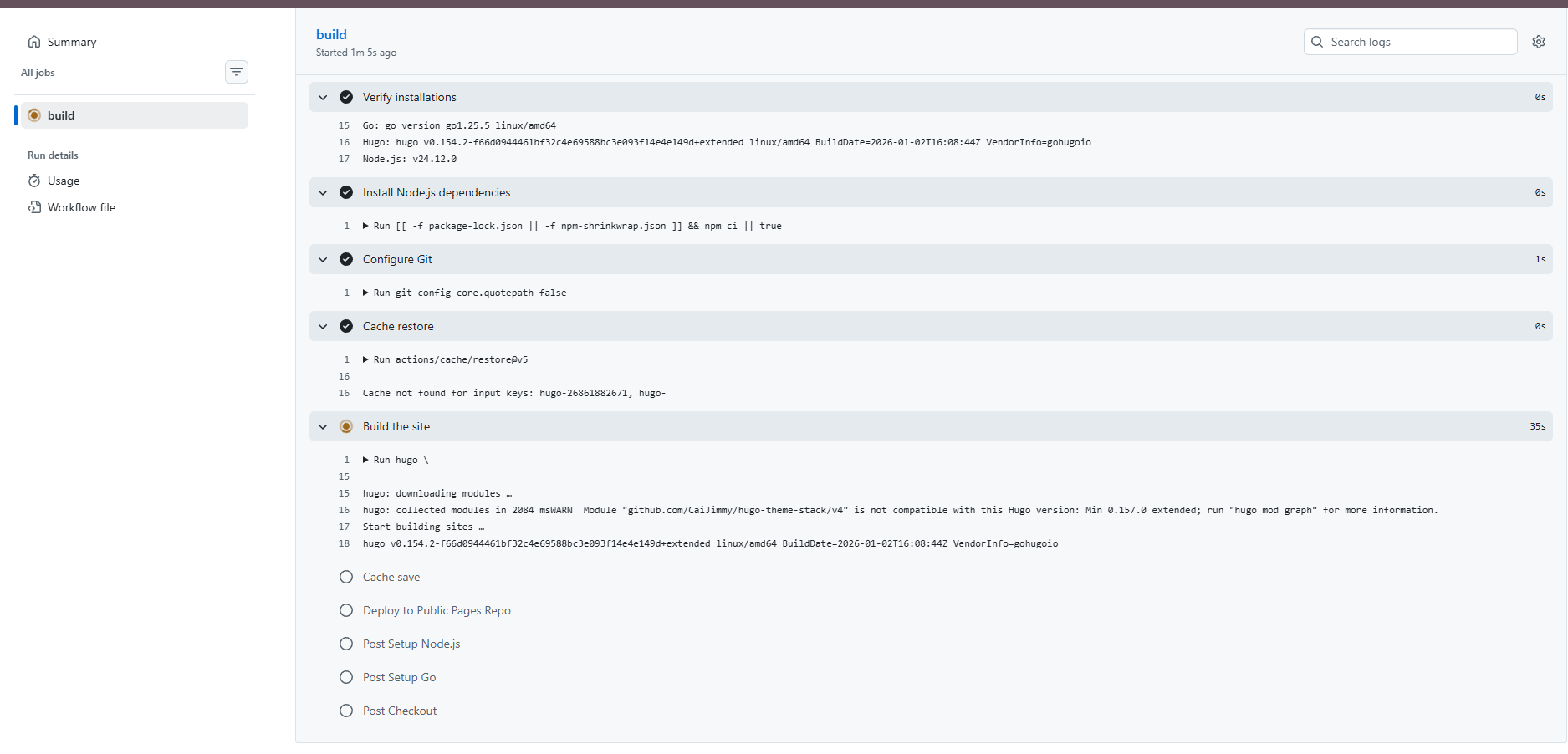
主仓库提交代码,自动任务触发
添加评论功能
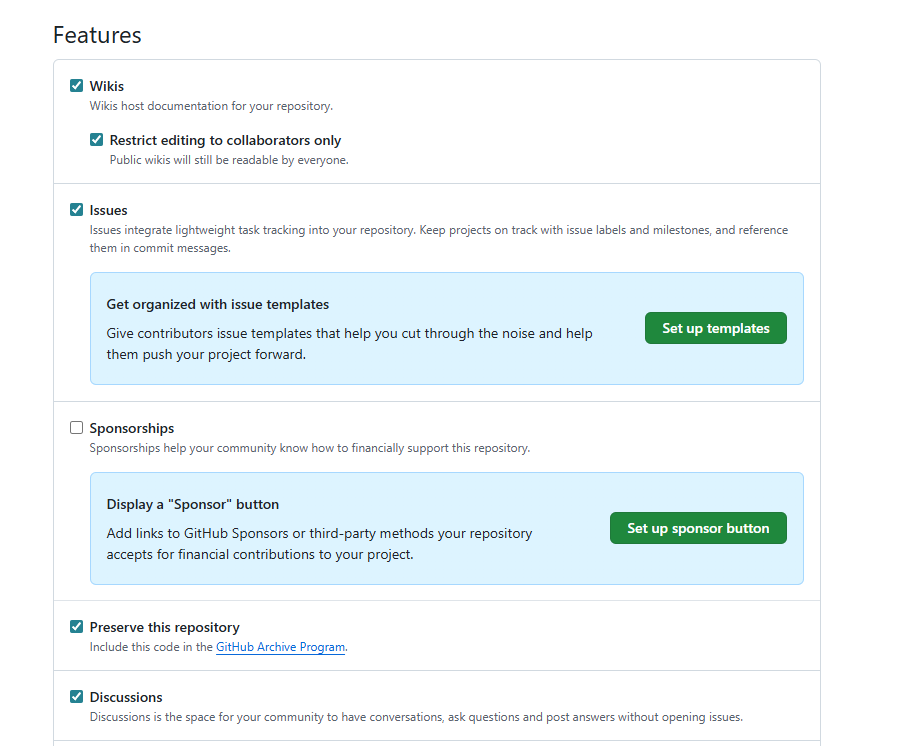
公共仓库开启Discussions功能,settings->Features-> 勾选Discussions
https://giscus.app/zh-CN#repository
使用github登录
配置

启用giscus
 1
 2
 3
 4
 5
 6
 7
 8
 9
10
11
12
13
14
15
| <script src="https://giscus.app/client.js"
data-repo="liangweidonggood/liangweidonggood.github.io"
data-repo-id="仓库id"
data-category="Announcements"
data-category-id="分类id"
data-mapping="pathname"
data-strict="0"
data-reactions-enabled="1"
data-emit-metadata="0"
data-input-position="bottom"
data-theme="preferred_color_scheme"
data-lang="zh-CN"
crossorigin="anonymous"
async>
</script>
|
config/_default/params.toml中配置
 1
 2
 3
 4
 5
 6
 7
 8
 9
10
11
12
13
14
15
16
17
18
19
20
21
22
23
24
| [comments]
enabled = true
provider = "giscus"
[comments.giscus]
# ============================================
# 必填项 - 从 https://giscus.app/zh-CN 生成后填入
# ============================================
repo = "你的公开仓库" # 公开的部署仓库(giscus 需要公开仓库)
repoID = "你的ID" # 仓库的 GitHub ID(base64 格式)
category = "Announcements" # Discussions 分类名
categoryID = "你的ID" # 分类的 GitHub ID
# ============================================
# 可选项 - 从 giscus.app 同步过来
# ============================================
mapping = "pathname" # pathname / url / title / og:title
strict = "0" # 严格匹配 mapping
reactionsEnabled = "1" # 显示表情反应按钮
emitMetadata = "0" # 是否向父页面发送元数据
inputPosition = "bottom" # 评论输入框位置:top / bottom
theme = "preferred_color_scheme" # 跟随系统明暗
lang = "zh-CN" # 语言
lazyLoadingEnabled = "1" # 懒加载
|